Research Data Inventory System
User Guide & Guidelines
Learn how to search, discover, and manage research datasets across Savic Lab
System Overview
The Research Data Inventory System is a catalog that helps you discover and locate research datasets. This system displays metadata and file paths. To access files, access them via the Data Request Management System and your own User-based Dashboard based on different type and security level of files.
-
Inventory System This is a catalog/index system for discovering and locating research datasets. Files remain in their original locations.
-
Filepath Display The system shows where files are stored. Use the filepath to access files via Data Request Management System or User-based Dashboard.
Dashboard Overview
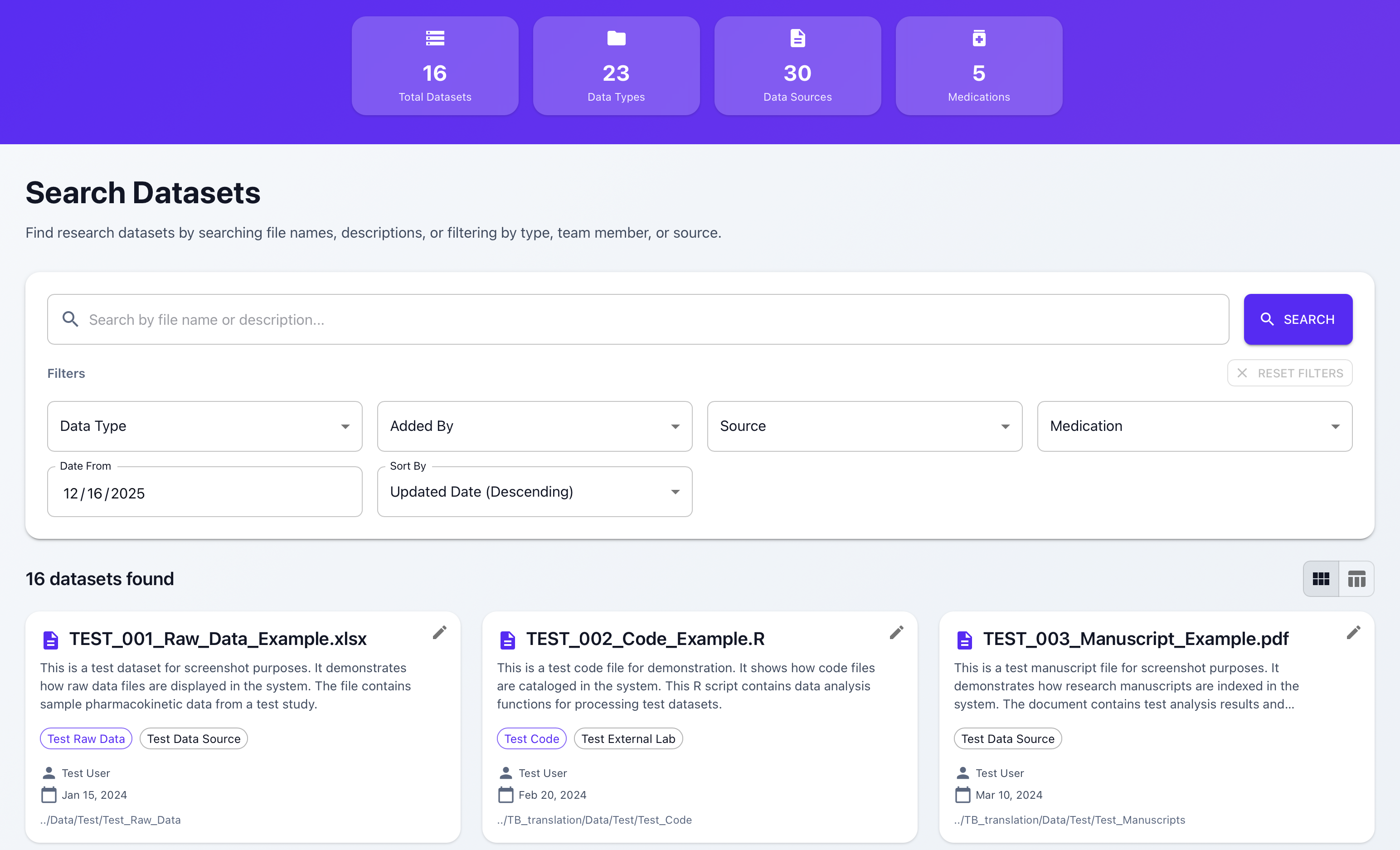
How to Search and Filter Datasets
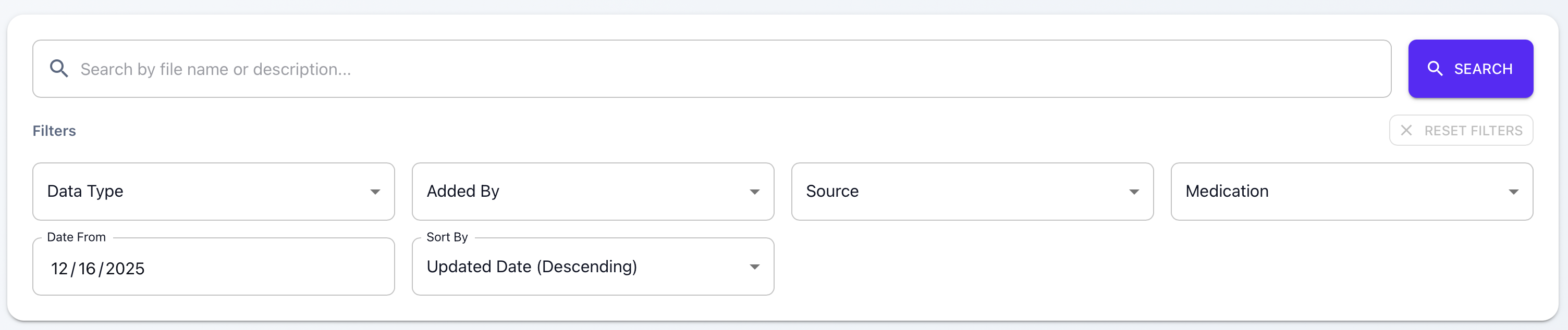
Use the search bar to find datasets by file name or description. You can also use filters to narrow down results by Data Type, Source, Medication, Added By, Date From, and Sort By options. Combine multiple filters for more precise searches.
💡 Tip: Use the "Reset Filters" button to clear all filters at once.
View Modes
Toggle between Card View and List View to display datasets in your preferred format. Card View shows key information in an easy-to-scan card layout, while List View provides a tabular format with sortable columns for quick comparison.


Viewing Dataset Details
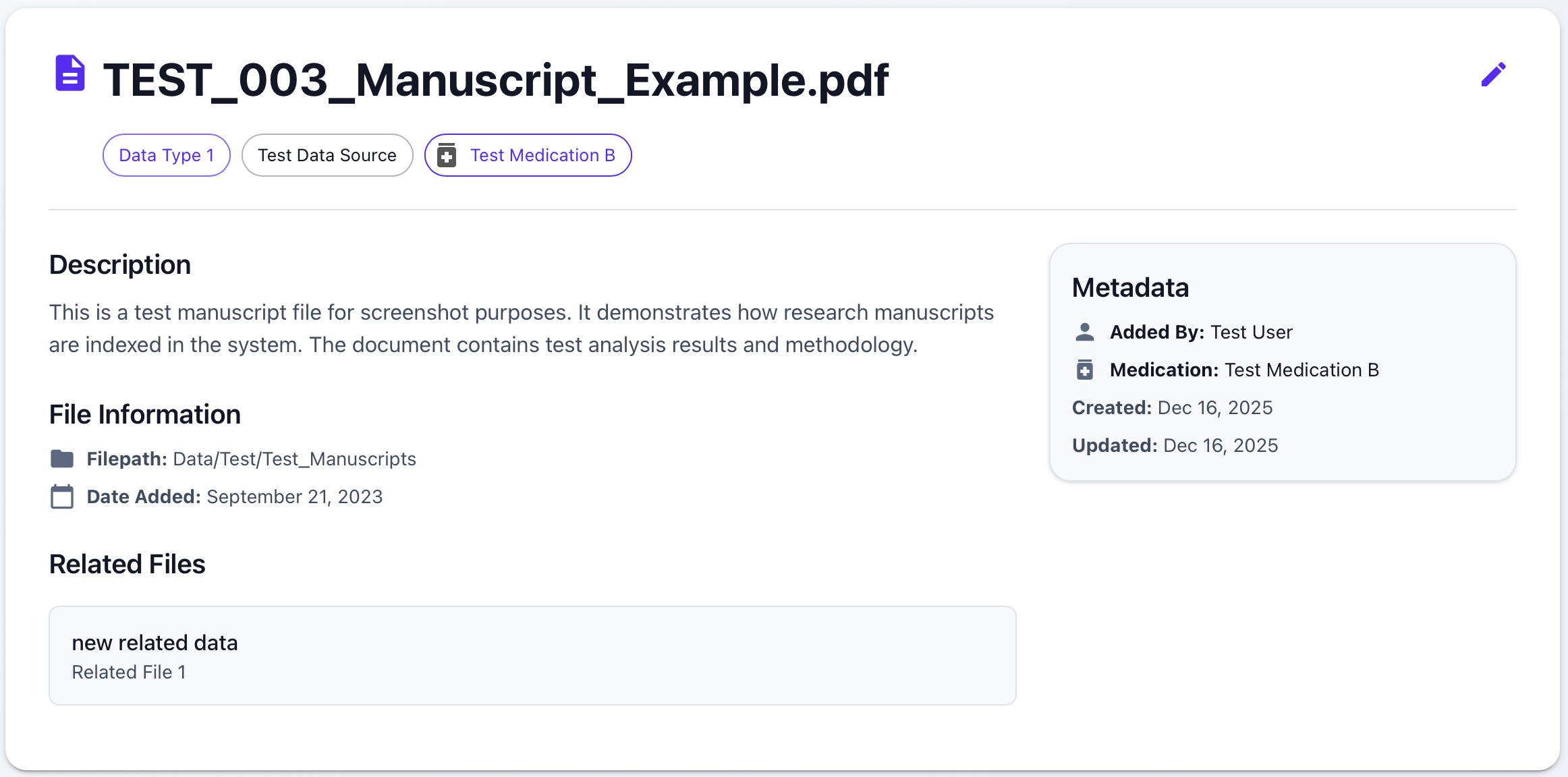
Click on any dataset card or table row to view detailed information including complete metadata, related files, edit history, and filepath information.
⚠️ Important: Use the filepath shown to access files via the Data Request Management System or User-based Dashboard.
Edit History
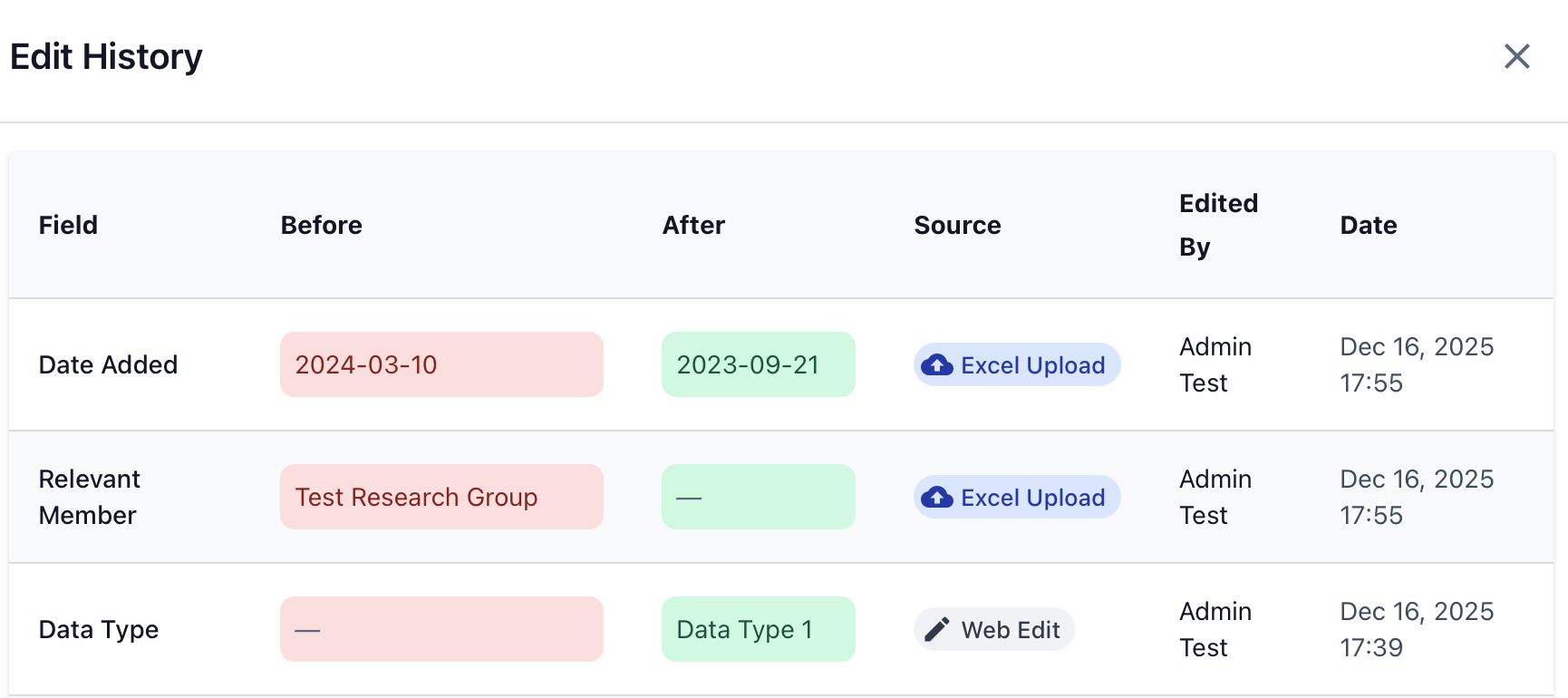
Track all changes made to a dataset with complete audit trail showing who made the change, when it was made, what field was changed, and the before/after values. Changes can be made via web interface or Excel upload.
Update Panel (with User Authorization)
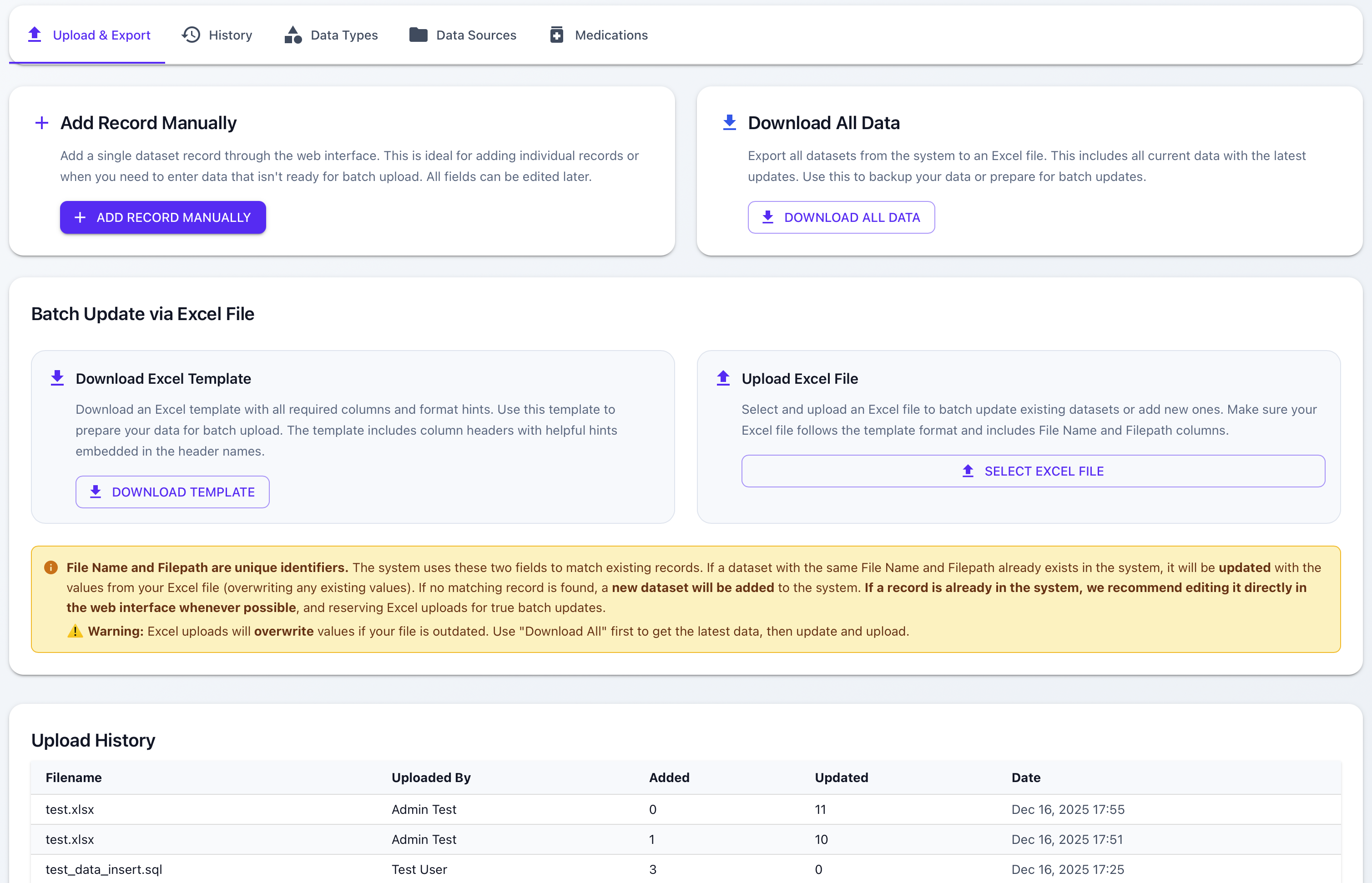
The Update Panel allows authorized users to manage datasets, upload Excel files, and configure system settings. Features include adding records manually, batch updates via Excel, downloading all data, downloading templates, and managing system entities (Data Types, Data Sources, Medications).